JPEG to STL Converter
Turn a .jpeg photo into a 3D-printable relief, a backlit lithophane or a stamp — sized in millimetres, closed and ready for your slicer. Free and in your browser.
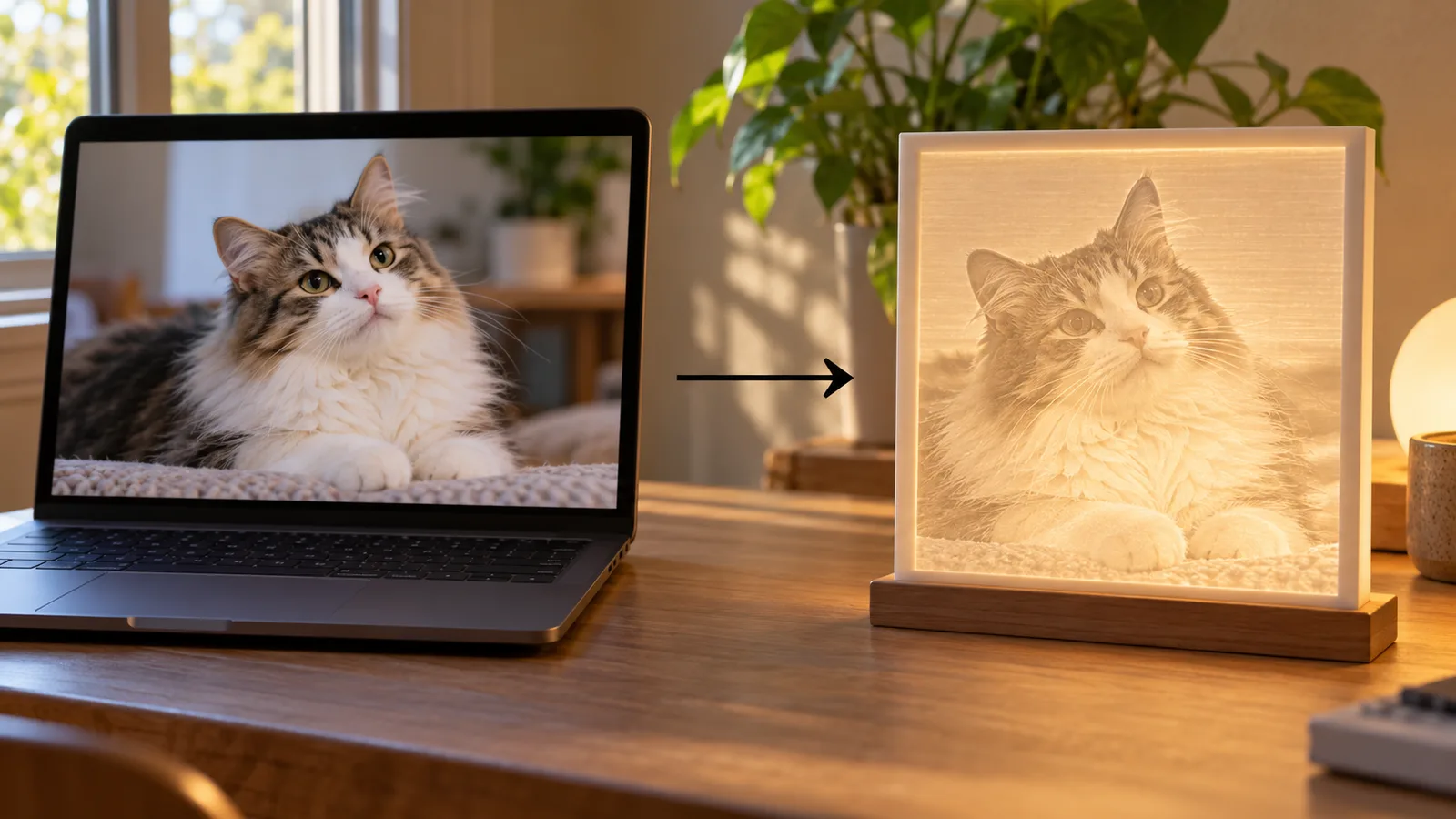
In short: To convert a JPEG to STL, drop the .jpeg file into the MeshShift image tool. Choose relief to raise bright areas into an embossed plaque, lithophane to make a thin panel that shows the photo when lit from behind, or stamp for a raised two-level logo or text.
Set the width in mm, the thickness range and smoothing, check the 3D preview, then download a closed (watertight) STL or a 3MF for Bambu Studio and Orca. The image is processed in your browser, so the JPEG is never uploaded, and there is no sign-up or watermark. JPEG and JPG are the same format, so phone photos work directly; iPhone HEIC files are converted automatically. A JPEG becomes a height map, not a full 3D figure: for a model of a person or pet you can hold, the AI photo to 3D tool builds one, with one model a day free, download included.
Which mode suits your JPEG
- Relief: brightness becomes height. Good for plaques, coasters and memorial tiles that are lit from the front or side.
- Lithophane: dark areas are thick, light areas thin, so the photo appears when the print is held to a window or lamp. Faces and fine detail come out best this way. Print in white PLA at 100% infill.
- Stamp: everything darker than the threshold is raised to one height. Use it for logos, signatures and text from a JPEG scan.
Each mode shows the result in 3D with real dimensions before you download.
Getting a good STL from a JPEG
- Crop the photo to the subject before you start; the full image becomes the panel.
- For a lithophane, keep the contrast moderate. Very dark shadows become thick blocks that let no light through.
- Raise smoothing if JPEG compression shows as a grainy surface, and choose a finer detail setting for faces.
- Pick the width you want in mm.
JPEG, JPG and other photo formats
.jpeg and .jpg are the same file type; the longer extension comes from older systems that allowed it. The tool also reads PNG, WebP, GIF, SVG and HEIC. PNG and SVG are better for logos because JPEG compression adds noise around sharp edges.
Printing the STL
Reliefs print flat on the plate with the picture facing up; 0.12 to 0.16 mm layers show the detail best. Lithophanes print best standing upright, because the thickness that makes the picture is then built from the nozzle's fine side movements rather than from layer steps. Use white PLA, 100% infill and no ironing; the lithophane mode adds a frame and a small stand so the panel stays upright.
Stamps print with the raised part facing up. If the stamp is for ink or clay, tick Mirror so the result reads correctly when pressed. Each STL is a closed solid in millimetres, so it opens in PrusaSlicer, Bambu Studio, Orca and Cura at the size you set.
Privacy and limits
The JPEG is read and turned into a 3D surface inside your browser tab; it is never uploaded and there is no account. Very large photos are sampled down to the detail setting you choose, so a 12-megapixel phone photo works the same as a small one. The result is a height map: one side carries the picture and the back is flat. That is ideal for wall art, lamps and gifts, but it will not give you a model you can view from every side.
Frequently asked questions
Is JPEG to STL conversion free?
Yes. Relief, lithophane and stamp modes are free with no sign-up, watermark or limit, and the photo stays in your browser. Only the AI photo to 3D figure tool is paid, and its first model each day is free to generate, preview and download as STL/3MF.
Is the STL printable as it is?
Yes. The STL is a closed, watertight solid with a flat back, sized in millimetres, so it slices in PrusaSlicer, Bambu Studio, Orca and Cura without repair.
What thickness should a JPEG lithophane have?
A common range is 0.8 mm for the brightest areas and 3 to 3.2 mm for the darkest, printed in white PLA at 100% infill with a 0.12–0.16 mm layer height. Thicker maximums give more contrast but need a brighter light.
Is .jpeg different from .jpg for 3D printing?
No. They are two extensions for the same image format, so a .jpeg converts exactly like a .jpg. What matters is the photo itself: good lighting and contrast give a clearer relief or lithophane.
Can a JPEG become a full 3D model?
Not with a height map, which only gives depth to the front of the picture. To get a figurine or bust you can view from all sides, use the AI photo to 3D model tool, which builds a closed model on a base from one photo.



