Can ChatGPT Make an STL File for 3D Printing?
Short answer: only simple geometric shapes, and usually through code you run yourself. For figures, pets and objects, use a text-to-3D tool built for printing.
ChatGPT can make an STL only for simple geometric parts: ask it for OpenSCAD or Python code and render that, because STL text typed straight into the chat is usually broken or incomplete. For figures, pets or anything organic you need a text-to-3D generator. MeshShift turns a prompt into a closed, watertight STL with a flat base at the exact height you type in millimetres.
Next model $4.99, no account needed. Failed runs refund automatically.
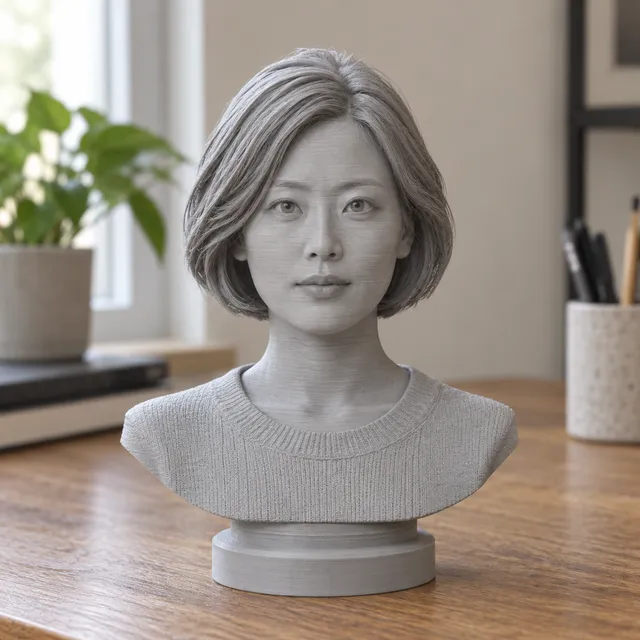
Your print-ready model appears here
Closed, manifold, flat-bottomed, on a base, and exactly the height you set.
In short: ChatGPT cannot reliably make a printable STL for anything beyond simple shapes. It is a language model, so it writes text: it can type an ASCII STL by hand or write an OpenSCAD or Python script that produces one.
That works for boxes, brackets, spacers and enclosures with exact dimensions, but typed STL files are often cut off mid-file, have missing triangles or fail to import, and the scripts usually need a few rounds of fixes. ChatGPT also cannot sculpt organic shapes such as a dragon, a pet or a person. For those, describe the object in the MeshShift text-to-3D tool above: it builds a watertight solid with a flat base at the height you type in millimetres and gives you an STL or a Bambu-ready 3MF. The first model each day is free to generate, preview and download as STL/3MF. A good workflow is to use ChatGPT to refine the prompt or design idea, then let a 3D generator make the mesh.
How to use the Can ChatGPT Make an STL File for 3D Printing? tool
- Describe the object in one sentence: subject, pose, style.
- Set the height in millimetres.
- Generate and check the free 3D preview from every side.
- Download the STL or 3MF and open it in your slicer.
| Route | Good for | Watertight and printable? | Effort |
|---|---|---|---|
| ChatGPT typing STL text directly | Cubes and very simple test shapes | Often broken or incomplete | Copy, save as .stl, then repair |
| ChatGPT writing OpenSCAD or Python | Brackets, boxes, parametric parts | Yes, if the code renders | Install OpenSCAD, render, export |
| General AI 3D generator (game assets) | Characters, props for screens | Often open edges, no flat base | Repair and rescale in a slicer |
| MeshShift text-to-STL | Figurines, pets, busts, keychains | Always closed, flat base, sized in mm | Type a prompt, download STL or 3MF |
What ChatGPT can and cannot do with STL files
- **Can:** write OpenSCAD code for parametric parts (boxes, hinges, spacers, enclosures) where you know every dimension.
- **Can:** write a Python script (numpy-stl, trimesh, CadQuery) that outputs an STL when you run it.
- **Can, badly:** type an ASCII STL directly. Even a cube needs 12 triangles; models often stop early or leave faces out, and slicers reject the file.
- **Cannot:** sculpt organic shapes like animals, faces, characters or figurines. There is no geometry model behind the text.
- **Cannot:** check that the mesh is watertight, add a base or scale it to your printer.
If you use ChatGPT, ask for OpenSCAD and render it in OpenSCAD yourself, then run the result through a free STL checker before slicing.
Three ways to get an STL from a text prompt
- **ChatGPT + OpenSCAD:** best for precise mechanical parts. Free, but you install OpenSCAD, paste the code, fix errors and export. Expect two to five rounds for anything non-trivial.
- **General AI 3D generators:** make game-style meshes from text. Fast, but they often come with open edges, floating parts, no base and arbitrary units, so you repair and rescale before printing.
- **A print-first text-to-3D tool (MeshShift):** type a prompt and a height. You get one closed solid with a flat base, in millimetres, as STL or 3MF. Best for figurines, toys, busts, keychains and decorations.
Prompts that print well
Name one subject, its pose and a style: "a sitting corgi with a bow tie, cartoon style" or "a knight chess piece, smooth low-detail". Avoid scenes with many objects, thin floating parts like sword blades held away from the body, and text on the model. Keep thin features at least 1 mm thick at your print size. A height of 60 to 100 mm suits most figurines on an FDM printer; go larger if the model has a face.
How to check any AI-made STL before printing
Whatever made the file, open it in a free STL checker and look for: open or non-manifold edges, flipped faces, loose parts, walls thinner than 0.8 mm and a size that fits your build plate. Repair holes and flipped faces in one click, then slice. A model that fails these checks prints with gaps, blobs or missing walls even if it looks fine on screen.
Frequently asked questions
Can ChatGPT generate an STL file directly?
It can type an ASCII STL, but only simple shapes come out usable and files are often incomplete. Asking for OpenSCAD or Python code that you run yourself is more reliable.
Can ChatGPT make a 3D model of a character or pet?
No. It cannot sculpt organic shapes. Use a text-to-3D or photo-to-3D tool such as MeshShift, which builds a printable solid from a prompt or one photo.
Is the MeshShift text-to-STL tool free?
The first AI model each day is free to generate, preview and download as STL/3MF without an account. More models need a one-time pack from $4.99 for three models, and failed runs are refunded.
Can ChatGPT write OpenSCAD code?
Yes, and it is the best way to use ChatGPT for 3D printing. Give it every dimension, render the code in OpenSCAD, and export an STL.
Can I use ChatGPT to make G-code?
It can write G-code for very simple moves, but it does not slice a model safely. Always slice the STL in Cura, PrusaSlicer, OrcaSlicer or Bambu Studio.



