Custom 3D Printed Christmas Ornament
Turn a photo of your pet, child or family, or a quick idea like "a gingerbread corgi", into a small ornament with a loop for the tree.
To make a custom Christmas ornament, upload a photo of a pet, child or family, or describe an idea: MeshShift's AI builds a flat-backed 3D charm with a hanging loop at 50–70 mm, ready to print and paint, as STL or 3MF. The first model each day is free to generate, preview and download as STL/3MF with no account.
Next model $4.99, no account needed. Failed runs refund automatically.
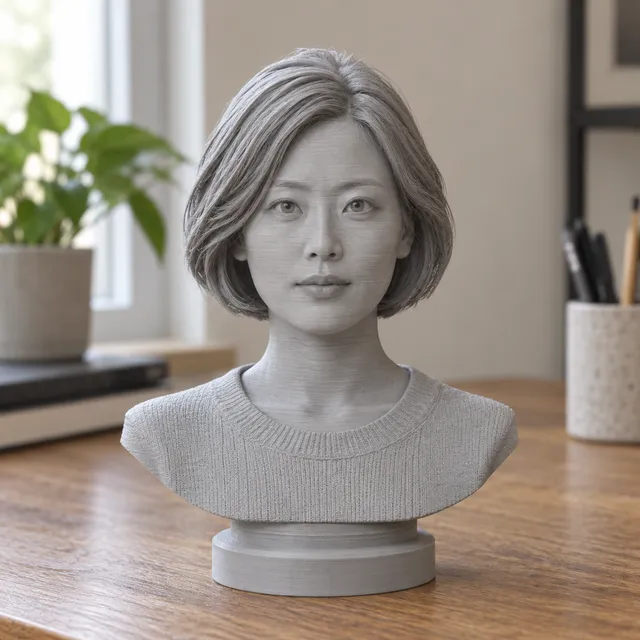
Your print-ready model appears here
Closed, manifold, flat-bottomed, on a base, and exactly the height you set.
In short: To make a custom Christmas ornament, upload a photo or type an idea, choose the keychain template, which adds a flat back and a hanging loop, and set a size of 50 to 70 mm. MeshShift's AI builds a closed 3D charm in about a minute, and the free 3D preview shows it before you pay.
Download it as STL or a Bambu-ready 3MF, print it in PLA in an afternoon, paint it and hang it with ribbon or an ornament hook. For a full figure that stands on a shelf, use the figurine template instead; for a flat name ornament, the free 3D text generator makes raised letters with a hole. The first model needs no account, and one-time packs start at $4.99 for three models, so one pack covers a small family set. Order early: printing and painting take a day, and gifts sent by post need time to arrive before Christmas.

How to use the Custom 3D Printed Christmas Ornament tool
- Upload a photo or type an ornament idea.
- Choose the keychain template (flat back + loop) and 50–70 mm.
- Generate and check the free 3D preview.
- Download, print, paint and hang with ribbon.
Ornament ideas
- Pet ornament: your dog or cat from a favourite photo, maybe in a Santa hat (paint it on).
- Baby's first Christmas: a small figure or bust with the year added as a plaque.
- Family set: one ornament per person, printed in the same size.
- Characters from text: "a snowman riding a cat", "a dragon wrapped in fairy lights".
- Memorial ornament: a pet or loved one remembered on the tree.
- Name ornaments: raised names on a star or round plate, free with the 3D text tool.
Personalised ornaments are among the best-selling handmade gifts every December, so they also suit market stalls and Etsy shops.
Printing and finishing
- Size: 50 to 70 mm is typical. Very small ornaments lose detail; very large ones weigh down branches.
- Material: PLA is light and paints well. Silk or metallic filaments look festive without paint.
- Orientation: print flat-back down; no supports are usually needed with the keychain template.
- Loop: thread a ribbon, twine or ornament hook through the loop. Reinforce it with a drop of superglue if the ornament is heavy.
- Finish: prime, paint with acrylics, and add glitter or a gloss varnish.
With an AMS or multi-material printer, the 3MF lets you assign colours to the back and front.
Timing for Christmas
Generating takes a minute, but finishing takes longer. Plan a day for printing and painting a batch. If you send the file to a print shop, allow a week or more in December, when shops are busy. For gifts sent abroad, check posting dates in late November. The digital file is ready immediately, so you can also give the STL itself to a friend who prints.
Photo tips for ornaments
Use a photo where the subject fills the frame and is clearly separated from the background. For pets, a sitting pose seen from the front makes a compact ornament. For people, a head-and-shoulders photo works better at ornament size than a full-body shot, because faces are larger. Bright, even light gives cleaner shapes than flash photos taken indoors at night.
Making a matching set
For a family or office set, use the same template and height for every ornament so they hang evenly on the tree. Generate each person or pet from its own photo, then print them on one plate. Paint them in a shared colour scheme, such as gold loops and white bodies, and add small name plates from the 3D text generator. A set of three fits in one $4.99 pack.
Frequently asked questions
How much does a custom ornament cost?
Generating and previewing the first ornament is free without an account. More models use a one-time pack from $4.99 for three models. Printing an ornament at home uses a few cents of PLA.
Does the ornament have a hanging loop?
Yes, the keychain template adds a flat back and a loop at the top that prints without supports. If you prefer a standing figure for a mantelpiece, choose the figurine template instead.
Can I make an ornament without a photo?
Yes. Switch to text and describe it, for example "a penguin in a scarf holding a gift". Simple, chunky ideas print best at ornament size.
Can I sell ornaments made with MeshShift?
Yes. The files you download are yours to print and sell as physical products. Only use photos you have permission to use, such as customers' own photos of their pets or family.


