3D Text Generator (STL)
Type a name, word or short message and get raised 3D letters on a plate, ready for name tags, signs, cake toppers and labels. Free, in your browser.
To make 3D text for printing, type your words into MeshShift: it builds raised letters on a rounded or rectangular plate with an optional border and keyring hole, at the width you choose in mm, and exports an STL. It is free, runs in your browser and needs no sign-up.
In short: To make 3D text for printing, type your words in the tool above, then set the width in millimetres, the letter height (extrusion) and the plate: rounded, rectangular or none, with an optional border and a keyring hole.
MeshShift builds a closed solid where the letters are raised on the plate, and you can download it as an STL for free, with no account and nothing uploaded, because it runs in your browser. For two-colour prints, keep the default plate and letter heights and add a filament change at the layer where the letters start, or open the STL in Bambu Studio and paint the top layers. The same tool makes name keychains, desk signs, door plates, labels for storage boxes and "Mr & Mrs" toppers. For curved or decorative 3D text with a shape, design the text in a vector editor, export SVG and drop it in.
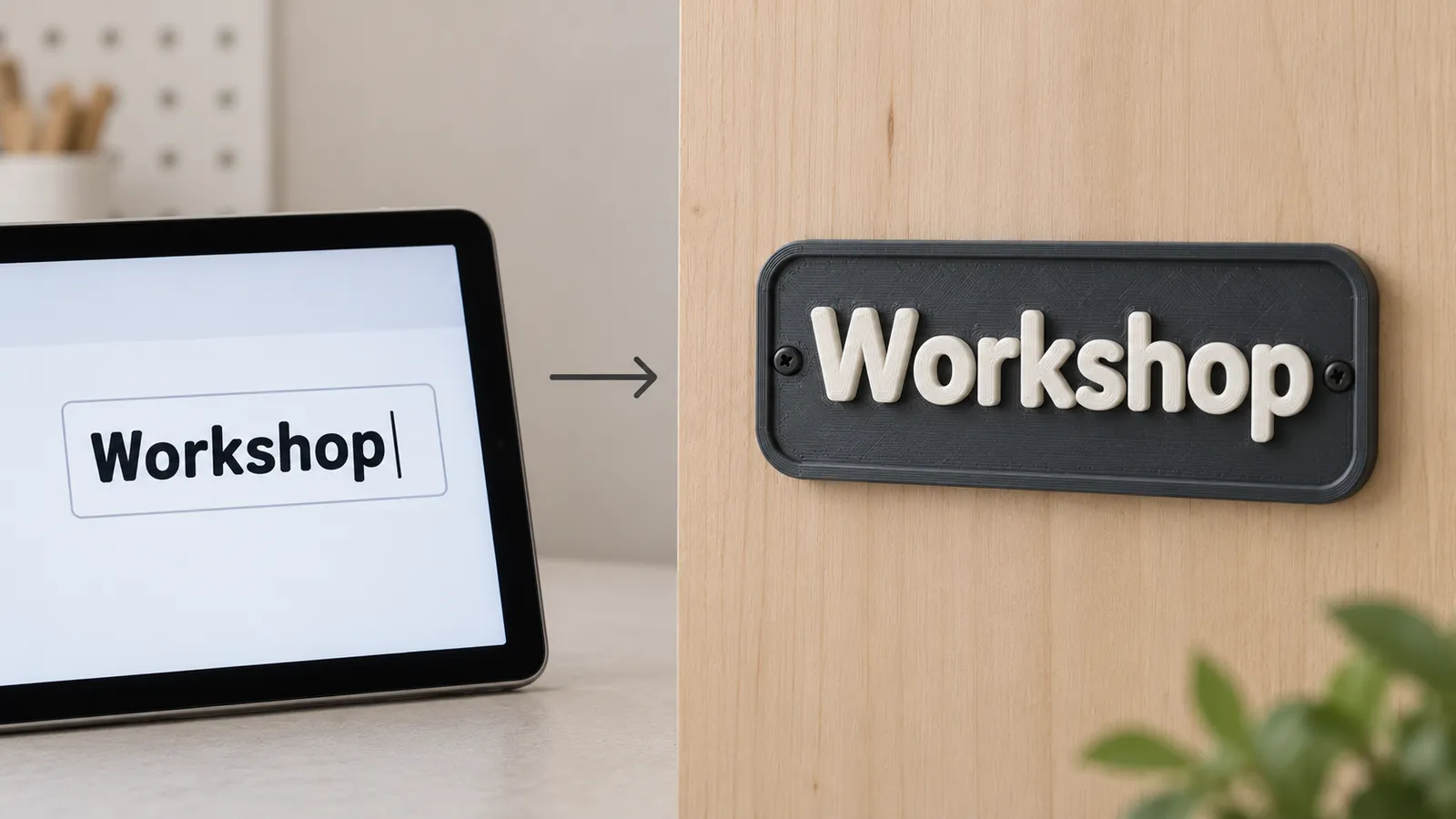
How to use the 3D Text Generator
- Type the text in the tool.
- Choose width, letter height, plate shape and border.
- Add a keyring hole if you want a tag.
- Download the STL and print, changing filament where the letters begin.
Settings for clear, printable letters
- Width: sets the final length of the text; the height follows. 60 mm suits a keychain, 120 to 200 mm a desk or door sign.
- Letter height: 1 to 2 mm above the plate reads well and prints fast. Taller letters cast stronger shadows on signs.
- Plate thickness: 2 to 3 mm keeps signs flat; 2.4 mm is a good keychain default.
- Border: a raised frame makes signs look finished and protects letter edges.
- Hole: 4 to 5 mm fits most keyrings.
Keep strokes at least 1 mm wide at your chosen size; very thin fonts or small text under 5 mm tall lose detail on a 0.4 mm nozzle.
Two-colour text without a multi-material printer
Raised text is the easiest way to get two colours from a single-nozzle printer. Note the layer where the plate ends (for example 2.4 mm), add a pause or filament change there in your slicer, and swap filament. Cura calls it "Pause at height", PrusaSlicer and OrcaSlicer let you add a colour change on the layer slider, and Bambu Studio can either pause or assign the top layers to another AMS slot. White letters on a dark plate, or the reverse, give the best contrast.
Ideas
- Name tags and keychains for kids' bags, pets' collars and gifts.
- Desk and door signs: "Office", "Studio", house numbers.
- Wedding and party: place cards, cake toppers on a stake, table numbers.
- Workshop labels: drawers, bins, cables and tool boards.
- Shop items: custom name keychains are a top-selling print on Etsy and at markets.
For a logo next to the text, use the logo to STL tool and combine both in your slicer.
3D text vs AI text-to-3D
This tool makes lettering: words as raised shapes. If you want an object described in words, such as "a dragon holding a shield", that is text-to-3D modelling, which needs AI; the MeshShift text to 3D model tool turns a prompt into a printable figure. AI generators are poor at readable letters, so use this 3D text generator whenever the words themselves are the design.
Common problems and fixes
- Letters fall off the plate: they are part of one solid, so this only happens with very thin strokes; raise the letter height or pick a bolder font via SVG.
- Small text is blurry: increase the width, or print with a 0.2 mm nozzle and 0.12 mm layers.
- Plate warps: add a brim, raise the plate to 3 mm, or print in PETG on a textured bed.
- Hole too small: set it to 5 mm; printed holes come out slightly smaller than designed.
3D font and 3D writing: 12 fonts for printable letters
The font row above the preview shows your own words in 12 open-licence fonts, so you can pick by eye: Rounded bold and Heavy sans for chunky signs and keychains, Block capitals and Sign letters for name plates, Slab serif and Roman capitals for a classic look, Retro script and Marker hand for 3D writing that looks handwritten, Stencil for paint templates, Retro rounded for playful labels and Pixel for game-style text. Script and handwriting fonts need a little more width: keep thin strokes above 0.8 mm at print size, so a name in Retro script works best at 100 mm wide or more. Every font gives the same output: raised letters on a plate with an optional border and keyring hole, as STL or 3MF, computed in your browser.
Frequently asked questions
Is the 3D text generator free?
Yes. Typing text and downloading the STL is free with no account, no watermark and no limit. The model is built in your browser, so nothing is uploaded.
Can I choose a font?
Yes. The font row shows your text in 12 print-friendly fonts, from rounded bold and block capitals to script, marker handwriting, stencil and pixel. For a font that is not in the list, set your text in Inkscape or Figma, convert it to paths, export SVG and drop the SVG on the tool; the letters keep their exact shape.
How do I print the letters in a different colour?
Add a filament change or pause at the layer where the plate ends, usually 2 to 3 mm, in Cura, PrusaSlicer, OrcaSlicer or Bambu Studio. Swap filament and resume; the letters print in the new colour.
Can I make a 3D text keychain?
Yes. Choose a rounded plate, set the width to about 50 to 60 mm and enable the keyring hole. The free keychain maker page has the same tool with keychain defaults already set.



