Free image to 3D, no sign up
Upload one photo and get a 3D model you can spin, zoom and check in your browser. One a day is free to download as STL, 3MF, GLB or OBJ: no account, no email, no watermark. More models are a one-time pack from $4.99.
Free image to 3D with no sign-up: your first AI model each day is free to generate, preview and download as STL, 3MF, GLB or OBJ, no account or email. It is one free model per browser per day and two per network, with a site-wide daily limit that resets at 00:00 UTC. No watermark. More models are a one-time pack from $4.99 for 3 models, no subscription.
Next model $4.99, no account needed. Failed runs refund automatically.
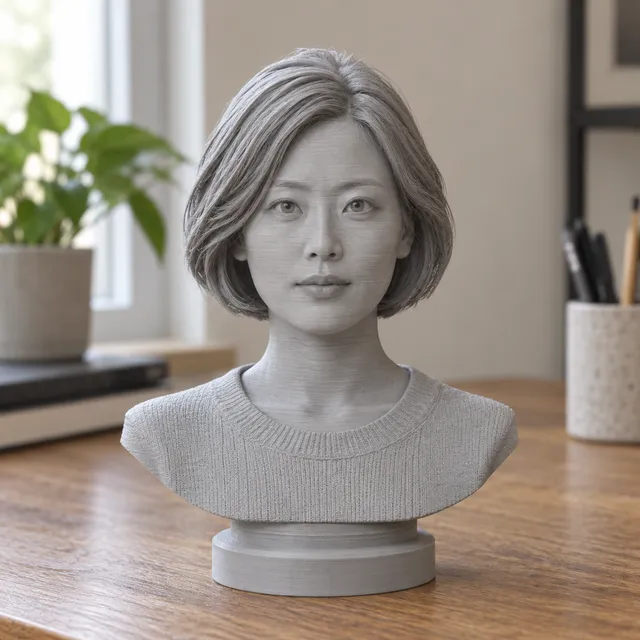
Your print-ready model appears here
Closed, manifold, flat-bottomed, on a base, and exactly the height you set.
In short: Yes, you can turn an image into a 3D model on MeshShift for free without signing up. Upload a JPG, PNG or HEIC photo of one subject on this page and the AI builds a full 3D model in about two minutes; you can rotate it, zoom in and check its size in millimetres in your browser, with no account and no email.
The free part is one AI model per browser per day, and you can download that model as STL, Bambu-ready 3MF, GLB or OBJ for free too, with no watermark. Each network (for example your home Wi-Fi) gets two free models a day, and on busy days a site-wide daily limit can run out until it resets at 00:00 UTC. More models are a one-time pack from $4.99 for 3 models, no subscription and no account needed at checkout. If you only need a flat relief, lithophane or keychain from a picture, the image to STL tool is free with no limit and runs entirely in your browser.
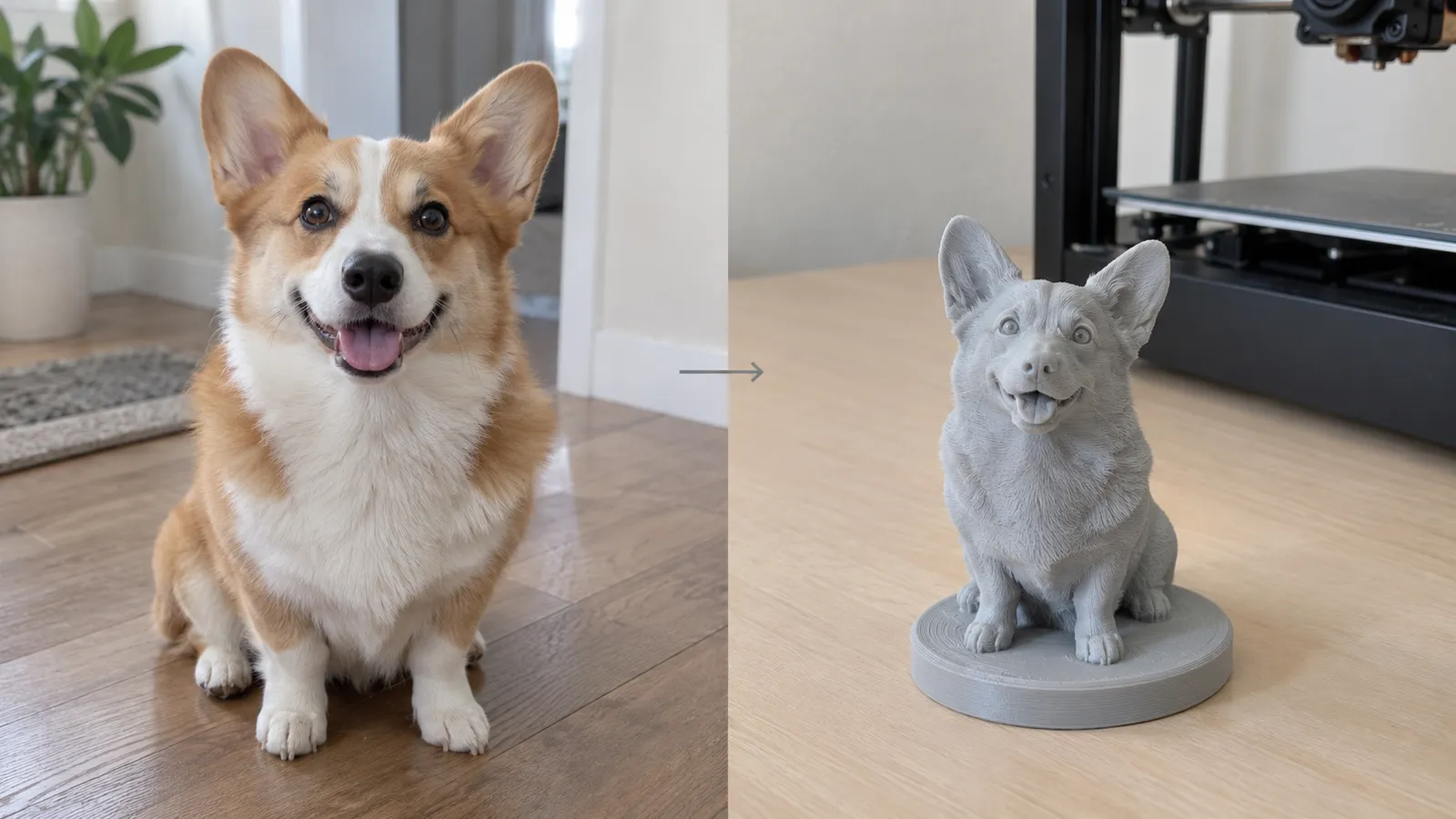
How to use the Free image to 3D tool
- Upload one clear photo (JPG, PNG or HEIC) of a single subject.
- Pick a template: figurine, bust, keychain or plain model.
- Wait about two minutes while the AI builds the 3D model.
- Spin, zoom and check the size in the free 3D preview, no account needed.
- Download your free model as STL, 3MF, GLB or OBJ; buy a one-time pack (from $4.99) only for more models.
| Condition | MeshShift AI image to 3D |
|---|---|
| Sign-up | Not required, no email |
| Free | 1 AI model a day: generate, preview and download; 1 per browser, 2 per network, site-wide daily limit (resets 00:00 UTC) |
| Watermark | None (preview and files) |
| Input | One photo: JPG, PNG or HEIC |
| Time | About 2 minutes per model |
| Download | STL, Bambu-ready 3MF, GLB or OBJ, free for the daily free model |
| More models | One-time pack from $4.99 for 3 models |
| Subscription | Not required; packs never renew |
| Commercial use | Allowed by the terms, subject to rights in your photo |
| Unlimited free option | Image to STL (relief, lithophane, keychain): free, no limit, runs in your browser |
Free image to 3D with no login: what you can do without an account
You do not need an account, a Google sign-in or an email address to make your free AI 3D model of the day, or to download it. Open the page, upload a photo and the model is generated and shown in a 3D viewer right here. You can orbit it, zoom in on details, switch templates before you generate and see the height in millimetres.
Signing in with Google is optional and only useful later, if you buy credits and want them on another device. Checkout for packs works as a guest.
Is it unlimited? How many free models you get
No, the AI mode is not unlimited, and we would rather say so up front. Each AI model costs us real compute, so the free allowance is:
- one free AI model per browser per day, with its STL, 3MF, GLB and OBJ download included;
- two free AI models per network (for example your home Wi-Fi) per day;
- a site-wide daily limit on free models; when it runs out, the page shows a countdown to 00:00 UTC, when free models come back, and you can use the free in-browser tools meanwhile.
What is unlimited: the browser tools. Image to STL (relief, lithophane, stamp, cookie cutter, keychain), the STL editor, repair and the viewers have no daily limit and need no account, because they run on your own device.
No watermark, free download, and what more models cost
There is no watermark on the 3D preview and none on the files you download. The model is a clean, watertight solid with a flat base, sized in millimetres, ready for Bambu Studio, PrusaSlicer, Cura or OrcaSlicer.
Your free model of the day downloads free, as STL, 3MF, GLB or OBJ. Payment only comes in for more models: packs are one-time and never renew: $4.99 for 3 models ($1.66 each), $14.99 for 9 and $24.99 for 20. If you have not made a model yet, a single model for $2.99 may also be offered. A pack also unlocks downloads for every model you have made. Monthly plans exist for people who make many models, but you never need one: no subscription is required.
Which free tool to use: AI image to 3D or image to STL
There are two very different ways to get a 3D file from a picture, and only one of them needs the AI.
- A full 3D object (a pet, a person, a toy, a statue) that you can see from every side: that is the AI mode on this page. 1 free model a day, download included; more from $4.99.
- A flat raised picture: a relief plaque, a lithophane that glows when lit, a stamp, a cookie cutter or a keychain made from a logo or drawing. That is the image to STL tool: free, unlimited, no upload, files stay on your device.
If you are not sure, try image to STL first for logos and line art, and the AI mode for photos of real objects.
Privacy: where your photo goes
In the AI mode your photo is checked by a moderation filter and sent to the 3D generation provider; MeshShift does not keep it and does not use it for training. The finished model is kept privately for 30 days under My models in your browser session. The free image to STL tools are different: they run in your browser and the picture is never uploaded at all.
Frequently asked questions
Is MeshShift image to 3D really free?
Yes, one AI 3D model a day is free to make, preview and download as STL, 3MF, GLB or OBJ, with no sign-up and no watermark: upload a photo, wait about two minutes, check it in 3D and download it. More models need a one-time pack from $4.99 for 3 models. The image to STL, relief and lithophane tools are free with no limit.
How many free 3D models can I make per day?
One free AI model per browser per day, download included, and up to two per network per day. There is also a site-wide daily limit on free models; if it is used up, free models come back at 00:00 UTC. The in-browser image to STL tools have no daily limit.
Do I need to sign up or give an email?
No. The free model, the 3D preview, the free download and guest checkout all work without an account or email. Google sign-in is optional, for keeping credits across devices.
Is there a watermark on the free 3D model?
No. Neither the 3D preview nor the downloaded STL, 3MF, GLB or OBJ has a watermark.
Can I use the 3D model commercially?
The terms say you may use models you create for personal and commercial purposes, subject to the rights in the photo you upload. You need the rights to the photo; characters and brands owned by others stay theirs.
What happens when the free model is used up?
A new free model is available the next day (00:00 UTC). Meanwhile you can upload and buy a one-time pack from $4.99 for 3 models, no subscription and no account needed. If you only need a flat relief, lithophane or keychain, use the free image to STL tool instead: it has no limit.



