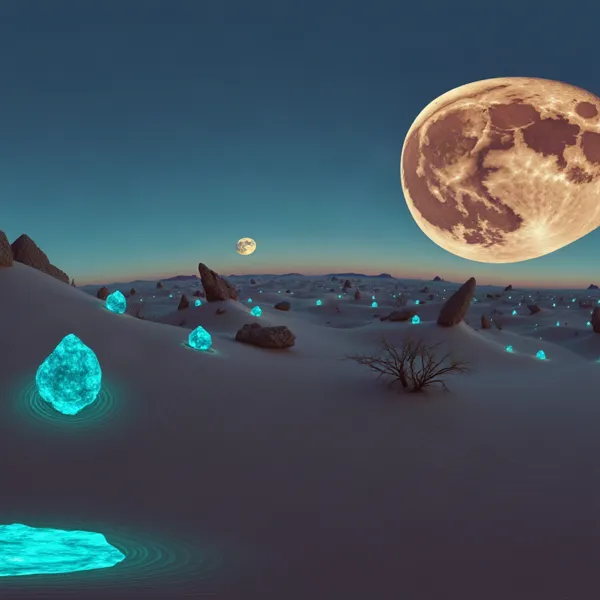
AI World Generator: Walk Into a Place You Describe
Type one sentence or drop in a photo. In about 15 seconds you are inside it, walking with W A S D and looking around with the arrow keys or the on-screen pad.
An AI world generator turns a sentence or one photo into a place you can walk through. On MeshShift the world streams live to your browser in about 15 seconds and you move with W A S D or the arrow keys. The first 20-second walk is free without an account; later 60-second walks cost 10 credits. Any view can become a printable 3D model.
No sign-up. Your first 20-second walk is free; after that a 60-second walk costs 10 credits — the same as one AI model. If a world fails to start, the credits come back.
In short: An AI world generator turns a short description or a single picture into a place you can move through. MeshShift first makes a wide 16:9 starting image from your sentence (or uses your photo), then a real-time world model streams the world to your browser at 1664×960 and paints new views as you walk forward, back, sideways or turn your head.
Your first walk lasts 20 seconds and is free without an account; later walks last 60 seconds and cost 10 credits. When the walk ends you can download the last view as a picture, send that view to the photo-to-3D tool to get a printable STL, or turn the same idea into a 360° skybox. Limits to know: the world is generated frame by frame, so it is not a saved 3D scene you can open in Blender, details drift if you walk far, and text or faces in the scene are not reliable.
How to use the AI World Generator
- Type a place, like “a misty temple on a mountain ridge”, or choose a photo.
- Press Create my world and wait about 10–15 seconds while the first frame is built.
- Walk with W A S D, look with the arrow keys, or use the on-screen pad on a phone.
- When time runs out, download the view or turn it into a 3D print.
What you get, and what you don’t
You get a live, explorable video world: each frame is generated as you move, so you can head down a path, turn around and look at what the model imagines behind you. It runs in any modern browser with WebRTC, on desktop or phone, and nothing has to be installed.
You do not get a mesh of the whole world. The model draws pictures, not geometry, which is why worlds feel fluid but cannot be exported as a game level. If you need something you can keep in 3D, two paths are built in: the 360° skybox generator gives you a panorama and a skybox GLB, and the end-of-walk button turns your favourite view into a printable model.
Prompts and photos that make good worlds
- Describe a place, not an action: “a neon market street in the rain” works better than “a chase through a market”.
- Mention the light and the time of day; the model keeps it consistent as you walk.
- Wide outdoor scenes, rooms with a clear floor and paths that lead somewhere give the most room to explore.
- Photos work best when they are taken at eye level with open space ahead. We crop them to 16:9 for you.
- Close-ups of faces, pages of text and busy crowds are the weakest inputs.
From a world to a 3D print
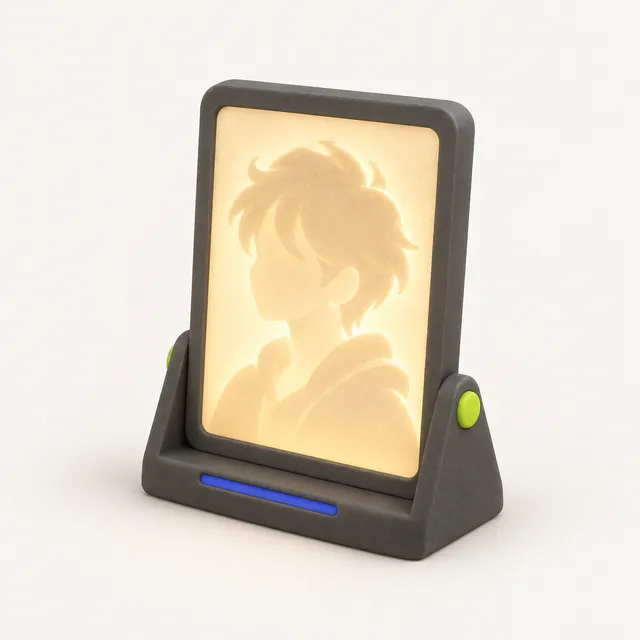
MeshShift started as a 3D-printing converter, so every world ends with a way out to a physical object. Stop on a view you like, press “Turn this view into a 3D print” and that frame opens in the photo-to-3D-model tool. Pick Figurine, Bust, Keychain or Plain, type the height in millimetres and you get a closed, watertight STL or 3MF with a flat base, sized for your printer. A temple you walked through becomes a desk diorama; a garden with your dog becomes a figurine.
Image to 3D world: step inside your own photo
Choose “Use a photo” and the picture becomes the first frame of the world; the model imagines everything outside it as you walk in. Rooms shot from a doorway at chest height, streets photographed along the road and landscapes with ground in front of you work best. Extreme close-ups, flat graphics, screenshots of text and very dark night shots give the model too little depth, so the scene smears as soon as you move. Turning on the spot and short walks keep the world closest to your photo. Photo to 3D model rebuilds one object as a printable solid; a photo world keeps the whole scene, and any view from the walk can be sent to the 3D-model tool.
Price, limits and privacy
Your first 20-second walk is free, with no account. After that a 60-second walk costs 10 credits, the same as one AI 3D model; credit packs start at $4.99 for 30 credits and never renew. If a world fails to start, the credits come back automatically.
One free walk is allowed per browser and per network each day, and the site has a daily cap so the free tier stays available. A dropped connection can reconnect the same world twice within 10 minutes without paying again. Photos are used only to start your world: they are checked for safety, stored on the AI provider’s CDN for one hour and never used for training. Only use photos you have the right to use.
Frequently asked questions
Is the AI world generator free?
Your first 20-second walk is free and needs no account. Further walks are 60 seconds for 10 credits each, paid from the same credit packs as AI 3D models. There is no subscription.
Can I make a world from my own photo?
Yes. Choose “Use a photo”, confirm you have the right to use it and start. Photos taken at eye level with open space ahead work best; we centre-crop them to 16:9, the frame the world model expects.
Can I download the world as a 3D file?
Not the walkable world itself: it is generated frame by frame, not stored as geometry. You can download any view as a picture, turn a view into a printable STL with the photo-to-3D tool, or generate a 360° skybox and download it as an image or GLB.
How do I move around?
W and S move forward and back, A and D step left and right, and the arrow keys look up, down, left and right. On a phone, use the two on-screen pads: the left one moves, the right one looks.
Is this Google Genie, or a Genie alternative?
MeshShift is not Genie and is not affiliated with Google or Google DeepMind. Project Genie, built on Genie 3, has been offered to Google AI Ultra subscribers in the US with 60-second sessions, and it is the more advanced model: longer, more consistent worlds. MeshShift uses a different real-time world model (lingbot-world-2) that anyone can try in a browser, free for 20 seconds, starting from text or your own photo. Its worlds are shorter and drift more when you walk far; what it adds is a way out: a view image, a printable STL or a 360° skybox GLB.
Why does the world end after 20 or 60 seconds?
Each world is streamed live from a GPU, which costs money every second. Fixed-length walks keep the first walk free and later walks cheap. You can always start another one.