AI Skybox Generator for 360° Panoramas
Describe a place or upload a photo. The AI paints a full 360° equirectangular panorama you can look around in, download as an image or a skybox GLB, and drop your own model into.
An AI skybox generator makes a 360° equirectangular panorama from a text prompt or a photo, for Three.js, Unity, Unreal, Blender or VR. MeshShift returns a 1920×960 panorama for 10 credits, refunded if it fails, which you can download as an image or as a skybox GLB, and you can drop your own STL, OBJ or GLB model inside to preview it.
1920×960 equirectangular image. The AI queue takes about 5–15 minutes; if it fails, the credits come back. Want to walk inside a world right now? Try the AI world generator — the first walk is free.
In short: An AI skybox generator creates a 360° equirectangular panorama: one 2:1 image that wraps around a sphere, used as an environment in Three.js, Unity, Unreal, Blender and VR viewers. On MeshShift you describe a place or upload a photo, and the AI returns a 1920×960 panorama with clean seams.
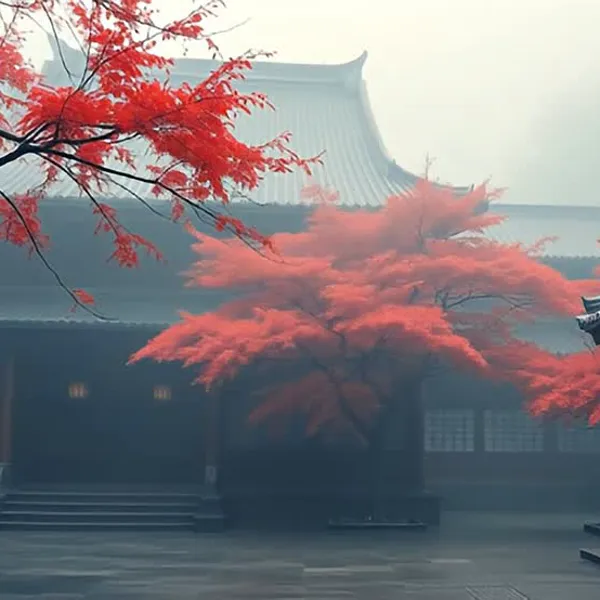
The AI queue currently takes about 5–15 minutes, so the result is saved in your browser and appears when it is ready, even if you leave and come back. Each panorama costs 10 credits, refunded automatically if it fails. In the viewer you drag to look around, zoom with the wheel, download the panorama, export a skybox GLB (an inverted textured sphere that opens in any glTF viewer) and add your own STL, OBJ or GLB model to see it standing in the scene. The examples above are real results generated for this page.
How to use the AI Skybox Generator for 360° Panoramas
- Describe a place or choose a photo.
- Press Generate 360° skybox (10 credits).
- Leave the page open or come back later; the panorama appears in “Your panoramas”.
- Drag to look around, download the image or GLB, or add your own 3D model.
Using the panorama in your engine
- Three.js: load the image with TextureLoader, set mapping to EquirectangularReflectionMapping and assign it to scene.background and scene.environment.
- Unity: import the image, set Texture Shape to Cube, and use it in a Skybox/Cubemap material.
- Unreal: import it as an HDRI-style texture and plug it into an HDRI Backdrop or a sky sphere material.
- Blender: World Properties → Color → Environment Texture, then pick the image.
- Any glTF viewer: open the skybox GLB, which already contains the textured sphere.
Put your own 3D model in the world
Press “Add your 3D model” and choose an STL, OBJ, GLB, 3MF or PLY file. It is opened in your browser (never uploaded), scaled to a sensible size and placed in front of you, lit to match the scene. That is a quick way to present a print, a figurine or a product in a setting, and the GLB export includes your model, so you can share the whole scene as one file.
Text or photo?
A sentence gives the AI the most freedom: “a desert canyon at golden hour” or “a cosy library with tall windows” produce complete, consistent spheres. A photo anchors the panorama in a real place; the AI keeps your picture as one part of the view and paints the rest around it. Photos taken at eye level with a clear horizon work best.
Skybox vs HDRI vs walkable world
A skybox is a picture of everything around one point, so it is perfect as a game or render background and as reflections, but you cannot move through it. A true HDRI stores extra brightness for lighting; the AI panorama is a normal 8-bit image, so use it for the background and keep a studio HDRI for light if you need accurate shadows. A walkable AI world lets you move but lasts only a short session and cannot be exported. Many people use both: walk an idea first, then make the skybox for their scene.
Price, wait time and privacy
Each panorama costs 10 credits, the same as one AI 3D model. Packs start at $4.99 for 30 credits and never renew; failed panoramas are refunded automatically. The wait comes from the provider’s AI queue, not the model itself, and we say so up front instead of showing a fake progress bar. Photos are used only to make your panorama and are never used for training.
Frequently asked questions
What size is the skybox?
1920×960 pixels, equirectangular (2:1). That is enough for backgrounds, product scenes and previews; for close-up VR you may want to upscale it.
Why does it take 5–15 minutes?
The panorama model runs on a shared AI queue. Generation itself takes under two minutes, but the queue adds the rest. The result is saved in your browser, so you can leave and come back.
Can I use the skybox commercially?
You can use panoramas you generate in your own projects. Avoid prompts that copy trademarks, logos or real people, and only upload photos you have the right to use.
Can I walk around inside it?
The skybox is a fixed 360° view: you can look in every direction but not move. To walk through a place, try the AI world generator, where the first 20-second walk is free.
What file formats can I download?
The panorama as an image and a skybox GLB. The GLB holds an inverted sphere with the panorama as its texture, plus any 3D model you added.